
PROXY for Android TV
VanyaPROXY works on Android TV version 10 and up, whether it’s built into the TV or comes in a set-top box. There’s no email to type with the remote. The TV signs in with an eight-digit code from your phone or the website.
- Android TV 10 and newer
- version 1.21.0
- 79.0 MB
You can start with the trial: 3 days for $0.50
Getting the app onto your TV
The simplest route is Google Play on the TV itself. The store shows the app’s Russian name, so search for Дядя Ваня. It’s the same listing as the phone app, and updates arrive the usual way.
A box without Google Play can take the APK file instead. You’ll find it under the button above, along with a copy on Yandex Cloud for when the main link won’t open. Make sure it’s the TV file. The phone APK shares the package name and would replace the TV version.
Once installed, the app shows up on the TV’s home screen as a red tile with the yellow logo.
A code instead of an email
On first launch the TV shows a field titled “Enter the code from your personal account”. There are two ways to get that code. If you don’t have an account yet, the QR code next to the field opens the website on your phone so you can subscribe.
From your phone
On your phone, open Account in the app and pick the sign-in option for another device. The phone then displays the eight digits.
From the website
Open your account page, find the TV card and press its button for a TV code. The card appears only while your plan is active. The site shows the digits in a pop-up window.
Type the digits with the remote and select Sign in. A code is single-use and lasts 3 minutes, so fetch it when the app on the TV is already open. The TV doesn’t accept guest accounts. Give it a guest account’s code and it will explain how to link an email on your phone first.
There’s also a step-by-step Android TV guide with screenshots, written in Russian.
What the TV app can do
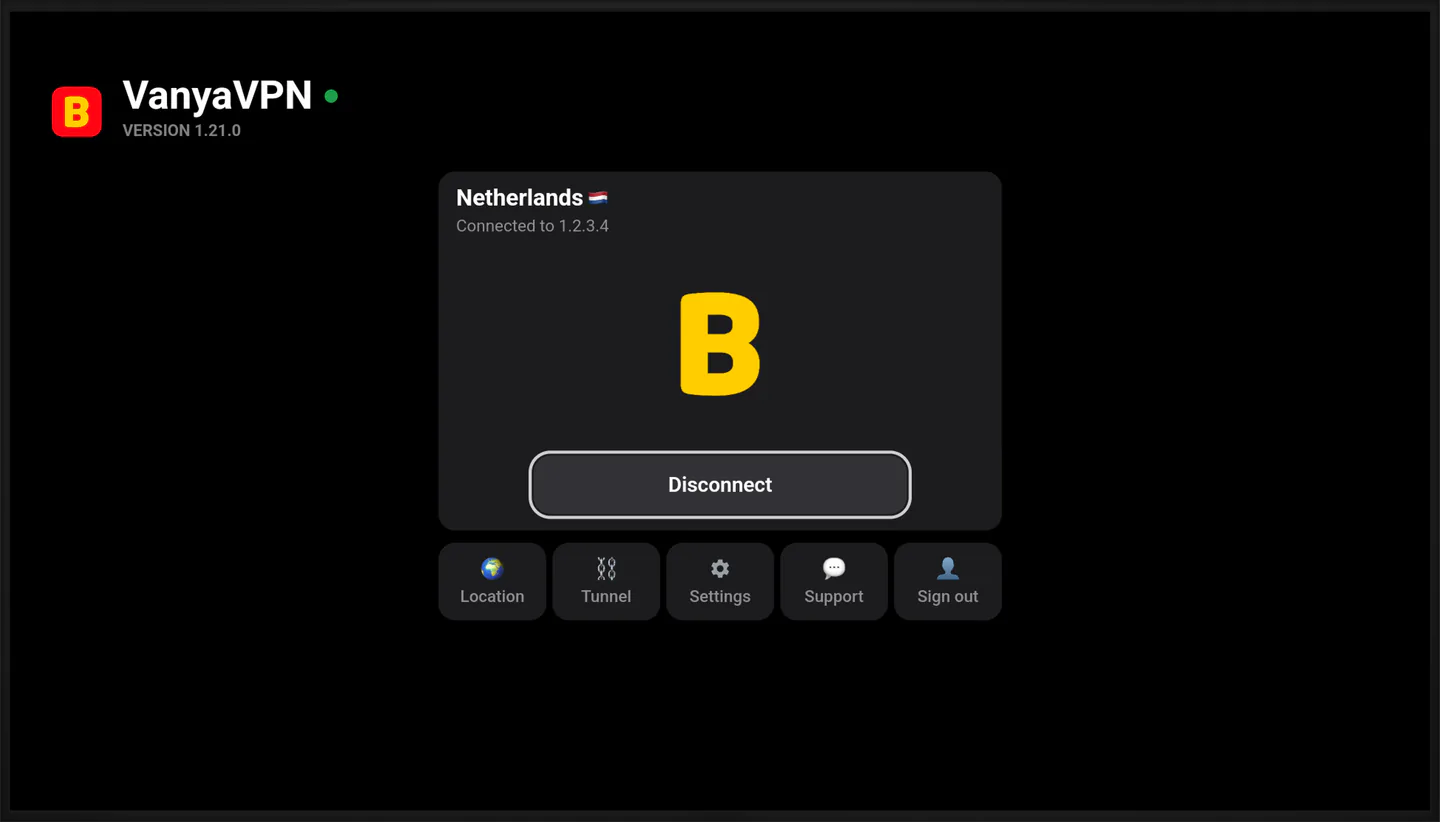
The home screen has a card with your current country and the Connect button, plus five tiles underneath. Location is where you pick a country. Tunnel offers two modes on a TV. With Off, all of the TV’s traffic goes through the PROXY. For Russia keeps Russian services outside it, so they connect directly. The manual list of addresses from the phone app isn’t available here.
Settings holds the interface language, the mirror and technical information. Support displays a QR code, and scanning it with your phone opens a chat with us. Sign out removes the account from the TV, and getting back in takes a fresh code.
There are no purchases inside the app. Without an active subscription, the TV shows a QR code for paying on the website, and the screen refreshes on its own once the payment goes through.
Questions before you set up the TV
Will it work on my TV or box?
Any TV or box on Android TV version 10 or newer will do, Google TV models included, since Google TV is built on top of Android TV. On version 9 and older the app won’t install.
I have a Samsung or LG TV. Any options?
Samsung uses Tizen and LG uses webOS, and VanyaPROXY doesn’t make an app for either system. You can set up the PROXY on your router, which covers every device at home, or plug an Android TV box into the TV and run the app from it.
What about Apple TV?
An Apple TV app is coming soon. The Apple TV page has what we can share so far.
My TV has version 1.20. How do I update?
If it came from Google Play, the new version arrives as a regular update. If you installed the APK, download the current file and install it over the old one, and the app’s data stays. If the TV asks for a code after the update, get a new one.
How many devices does one plan cover?
There’s no limit. The TV, your phones and your computers can all use the same account at the same time.
One plan for the TV and everything else
PROXY for Android TV is included in every plan. The TV uses the account you already have on your phone and computer, so it doesn’t need a separate subscription.
-
2 years
-
Year
-
6 months
- Month No bonus months $5/mo

The “Vanechka” trial
3 days with every country for $0.50, once per account. After that it continues month to month, and you can turn renewal off in your account.
If it does not work for you, we refund the payment under our refund policy.